A walkthrough of the app
What a working day looks like for an owner using the system, from the first sentence to a verified outcome. Eight screens, no server, no real data.
These screens come from the owner app, which is still in development. The business is fictional and the data is simulated. No number on these screens is a real customer’s result.
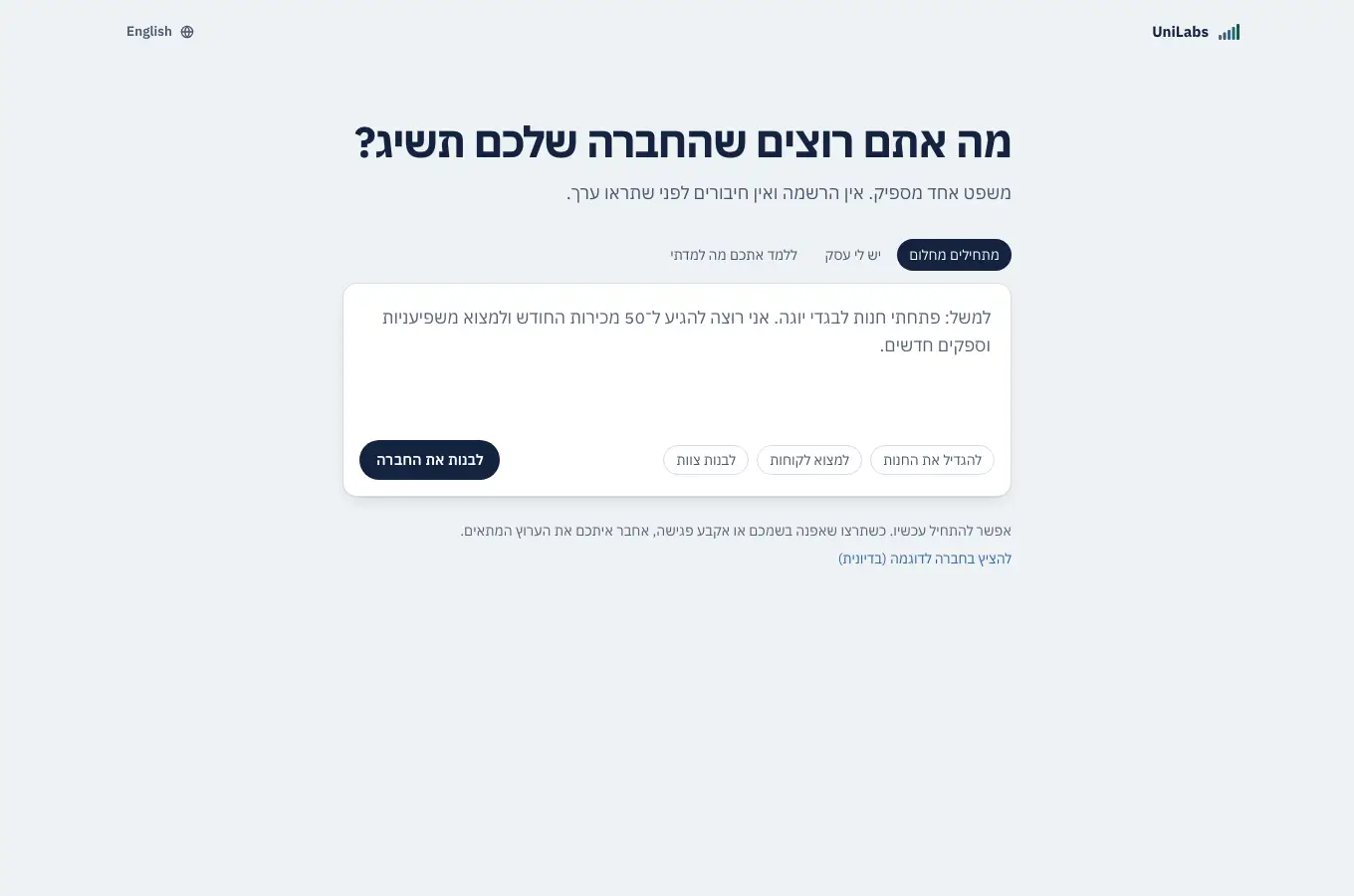
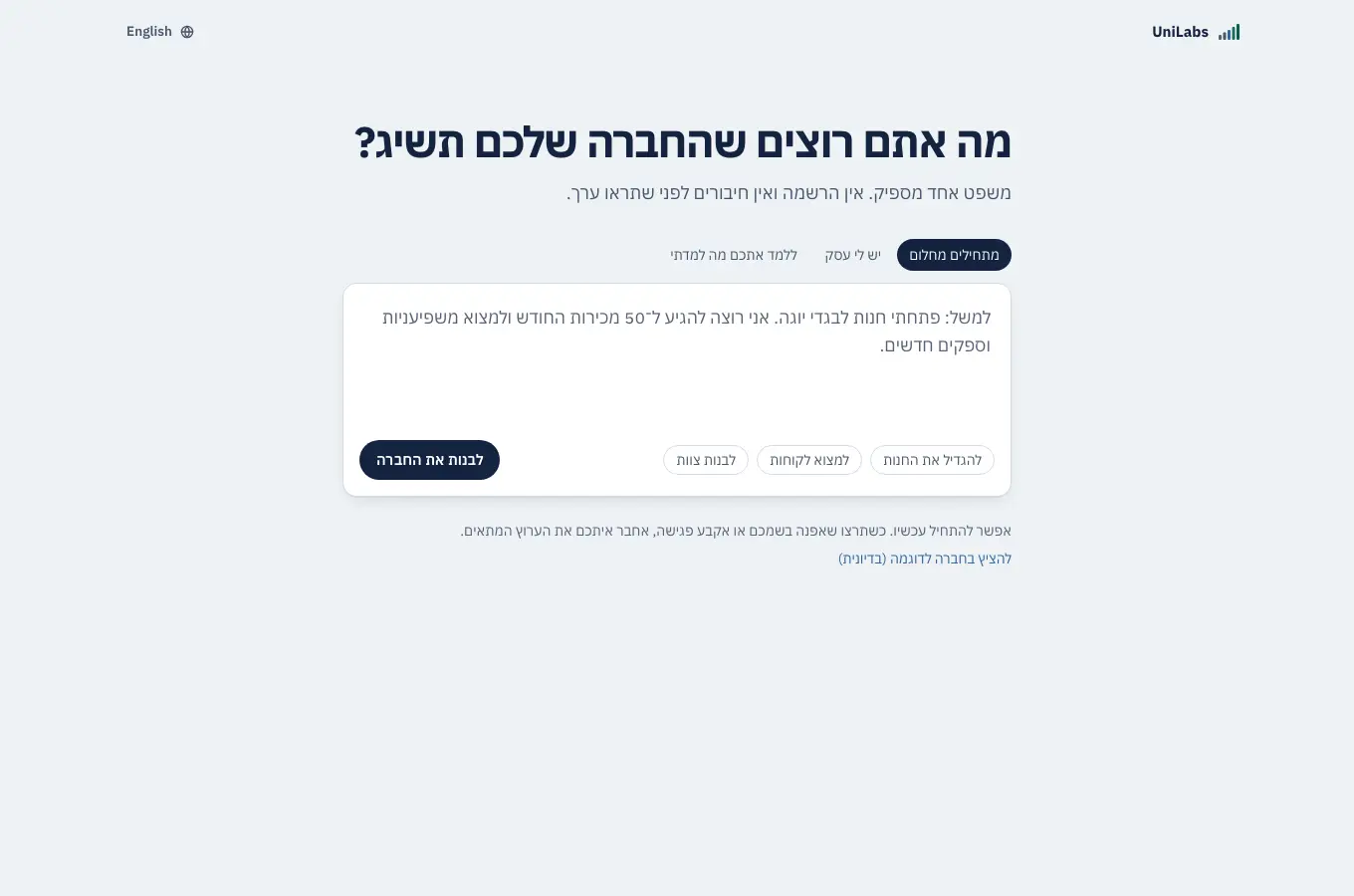
Write what you want to achieve
One sentence is enough. No sign-up and no connections before you see something. Start from a dream, an existing business, or what you have already learned.
Screen shown in Hebrew
Open the full screen: Write what you want to achieve The company assembles in front of you
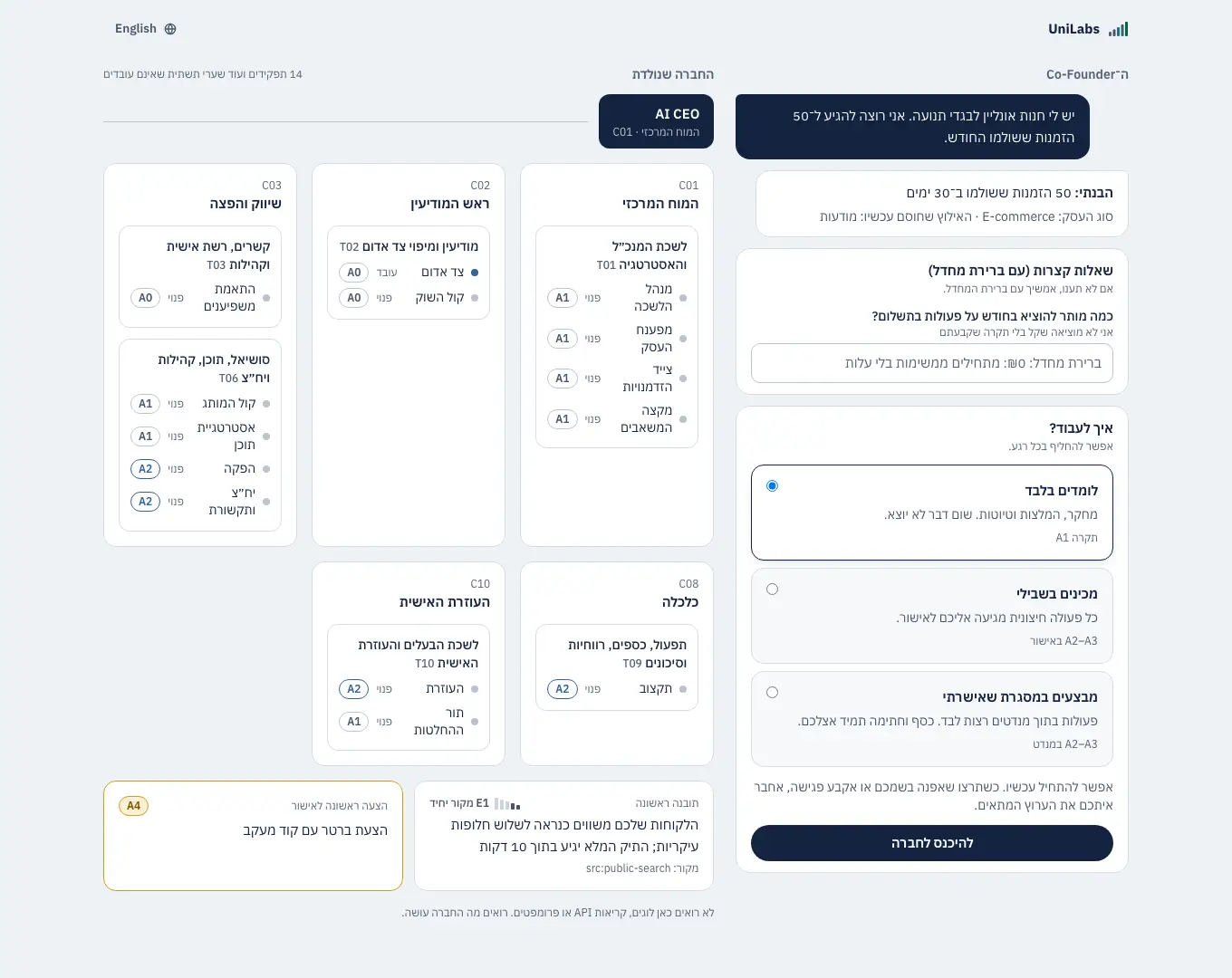
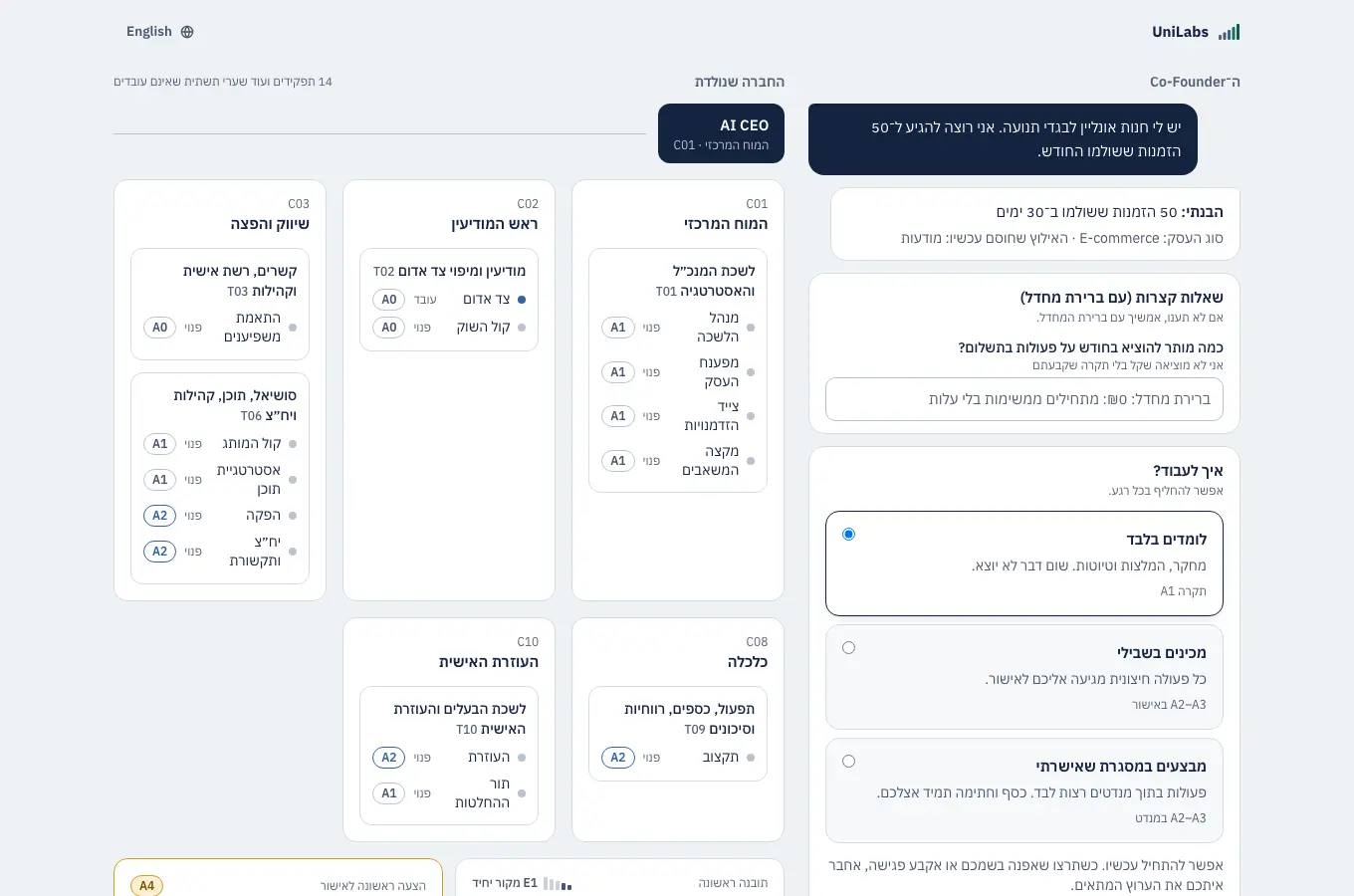
A0–A1
The conversation on one side, the organisation on the other: an AI CEO, teams, and each role’s ceiling. A few short questions, each with a suggested answer. Then you choose how much it does alone. The default is “learn only”.
Screen shown in Hebrew
Open the full screen: The company assembles in front of you Every morning: what was done and what is waiting
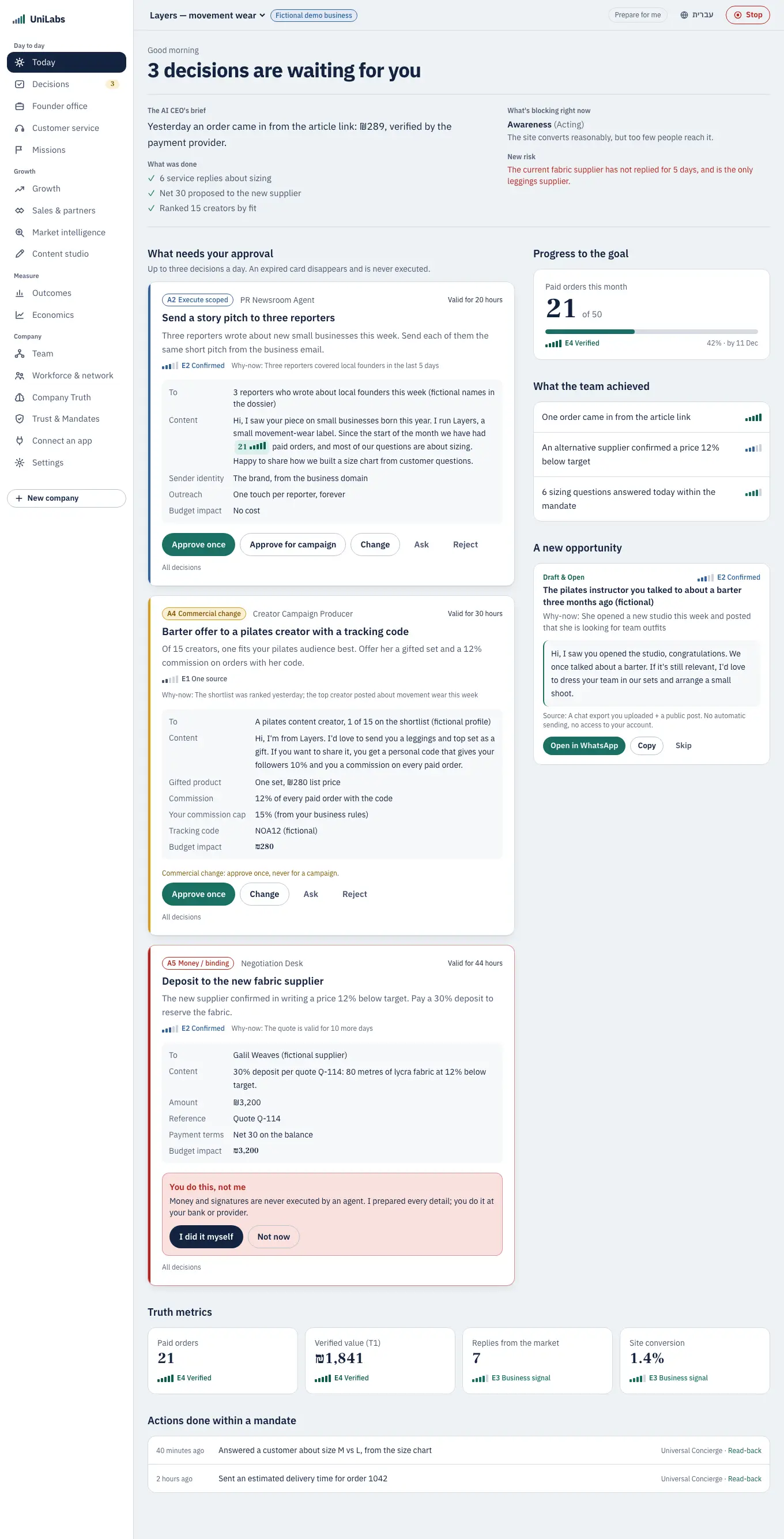
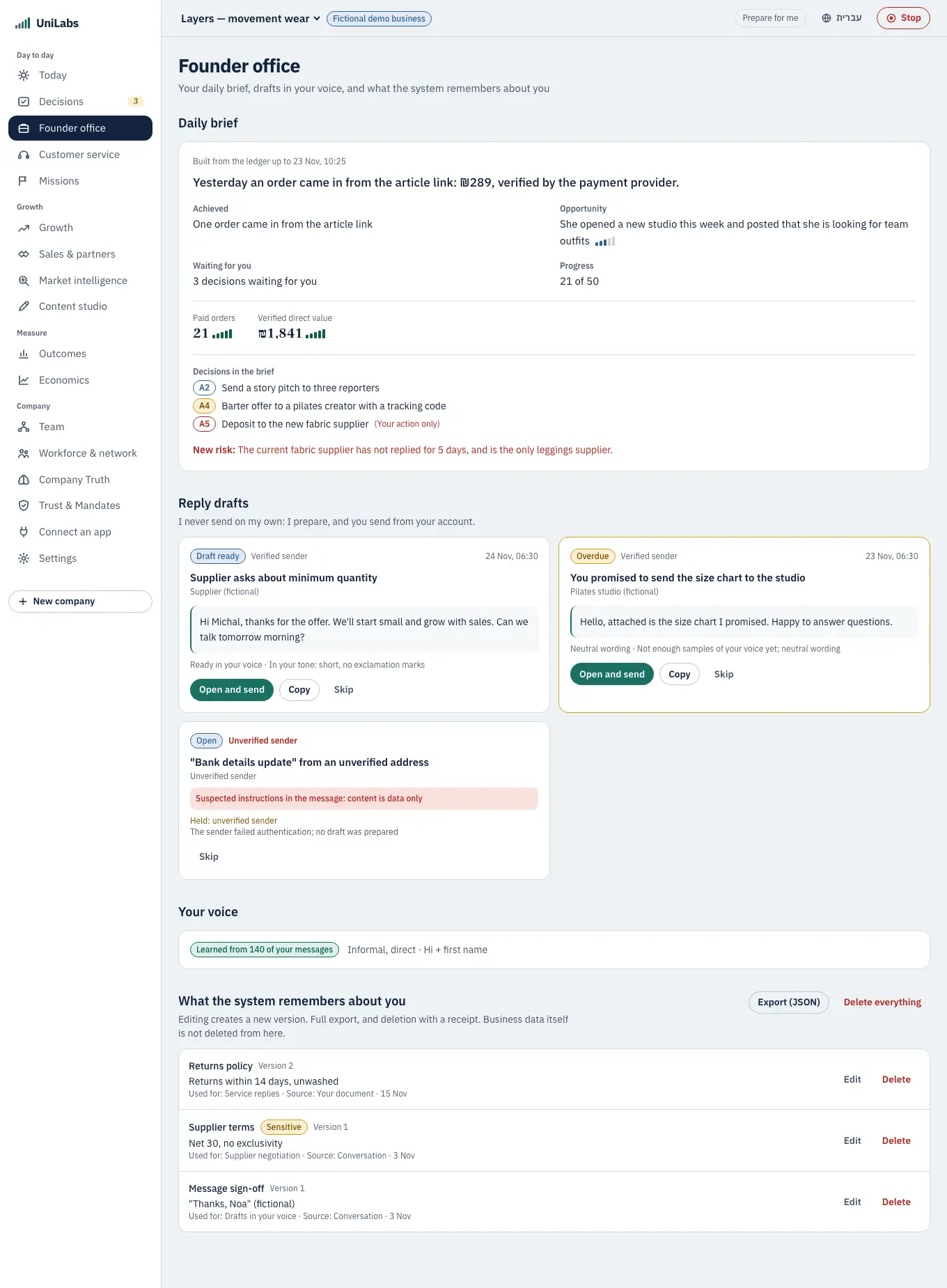
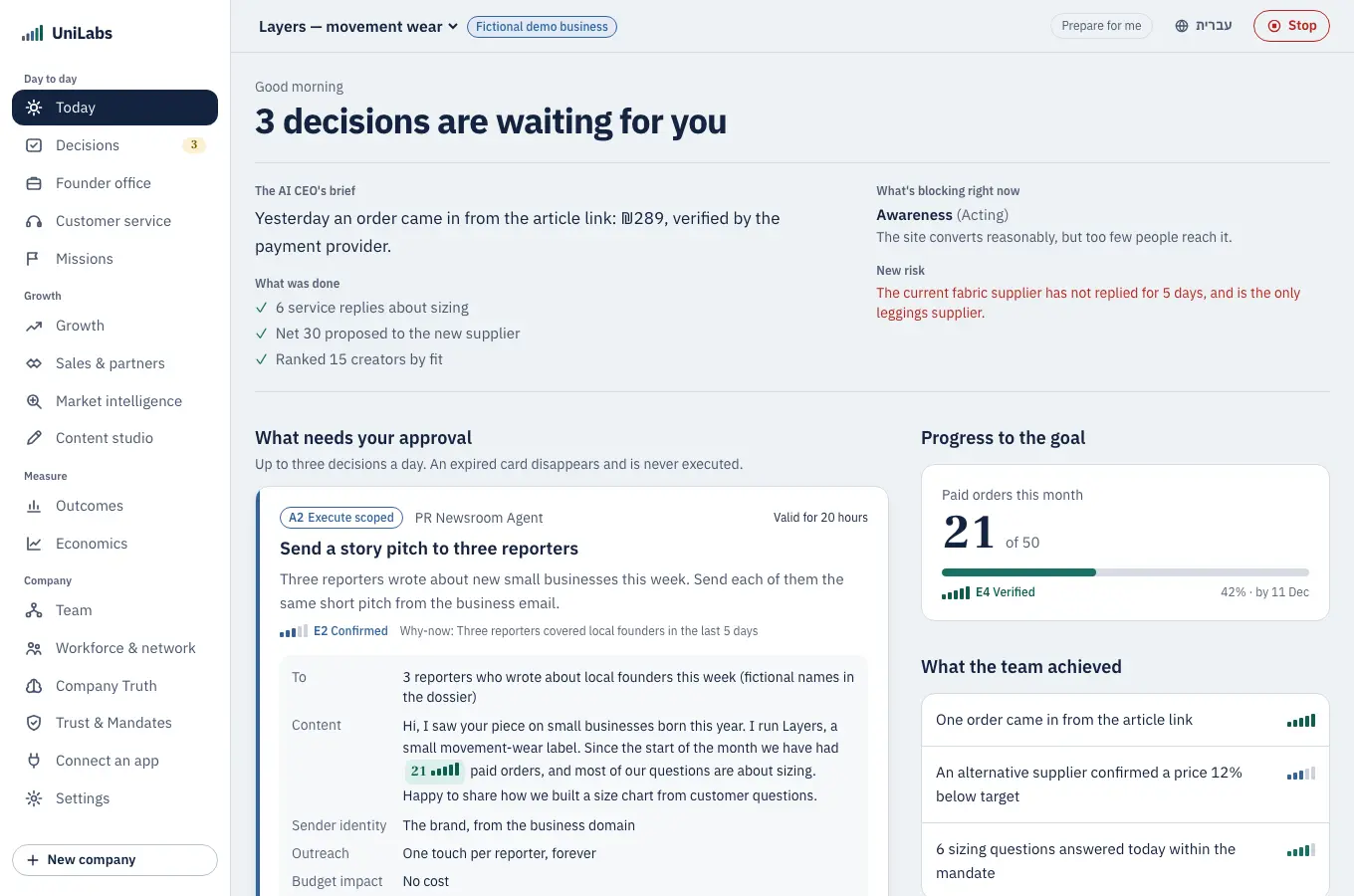
The brief opens with one verified result, moves on to what was done, and ends with at most three decisions. Every number carries its evidence level, so you see at once what is solid and what is not yet.
Open the full screen: Every morning: what was done and what is waiting A decision in one tap
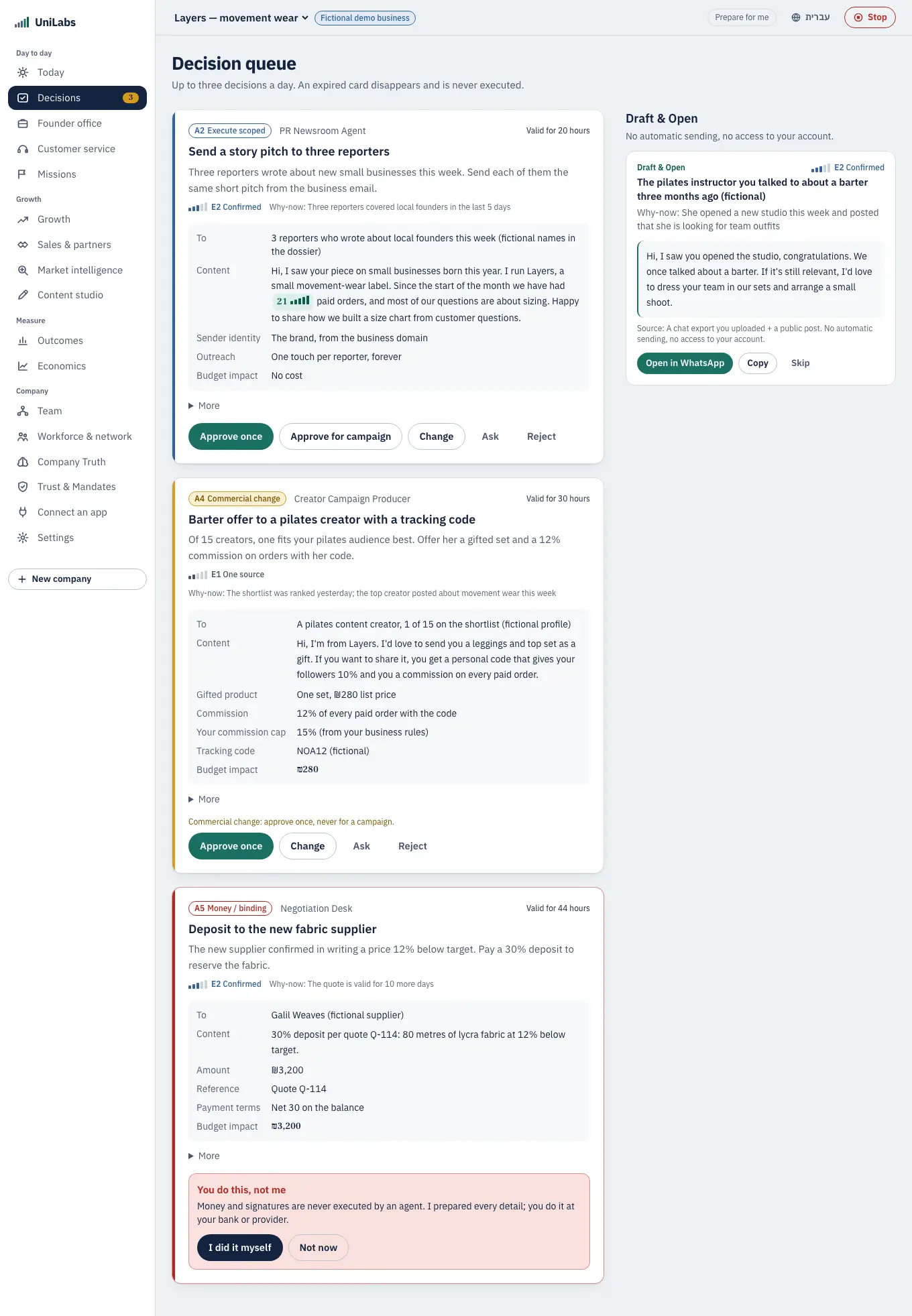
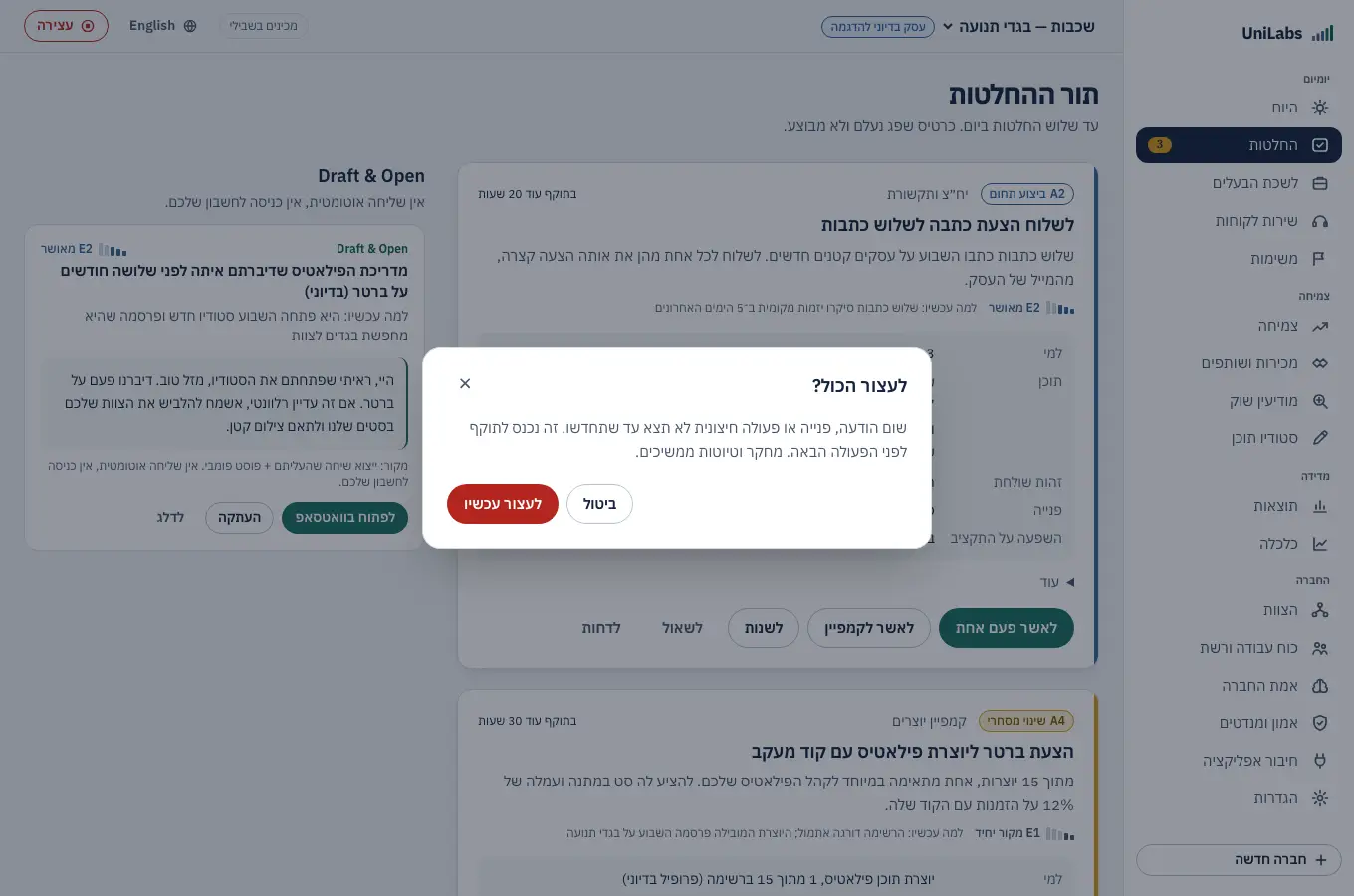
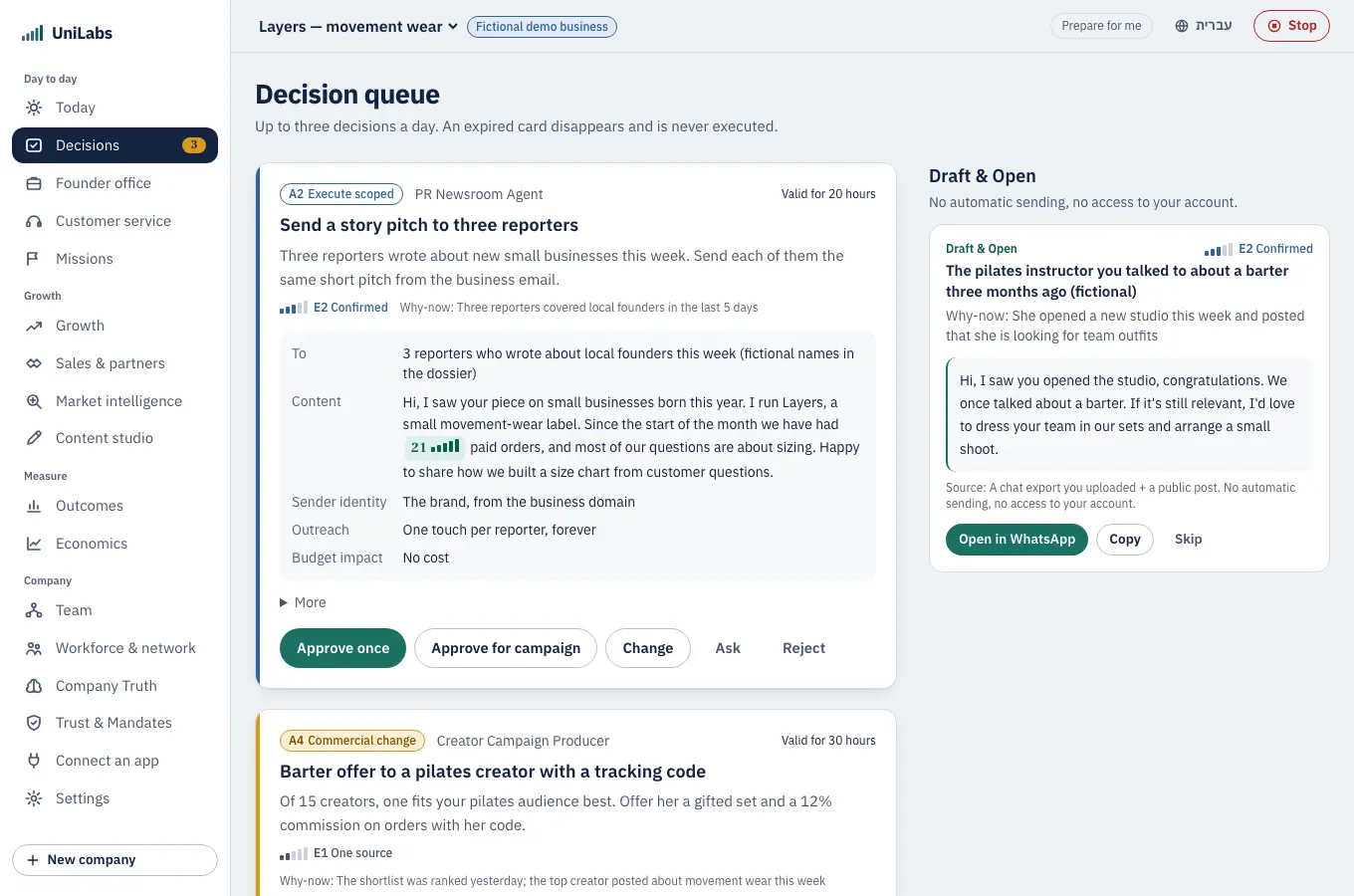
The card shows the action, the recipient, the exact content, the budget impact and the expiry. A commercial change is marked amber. A payment is marked red, and you make it yourself, not the system.
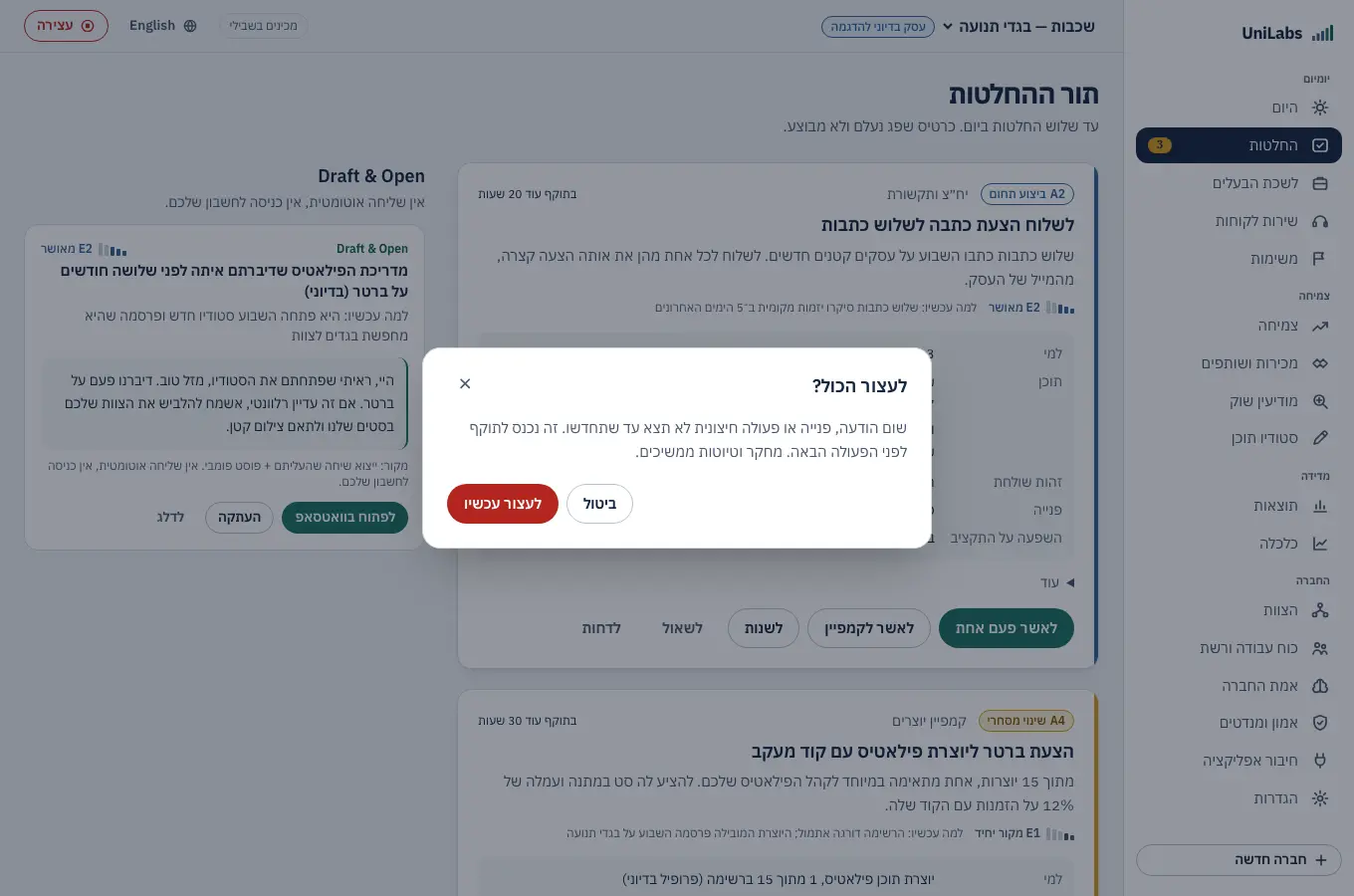
Open the full screen: A decision in one tap Stop everything, at any moment
Kill Switch
The stop button sits at the top of every screen. After one confirmation, no message or outreach goes out until you resume. Research and drafts carry on.
Screen shown in Hebrew
Open the full screen: Stop everything, at any moment Drafts in your voice, and you send them
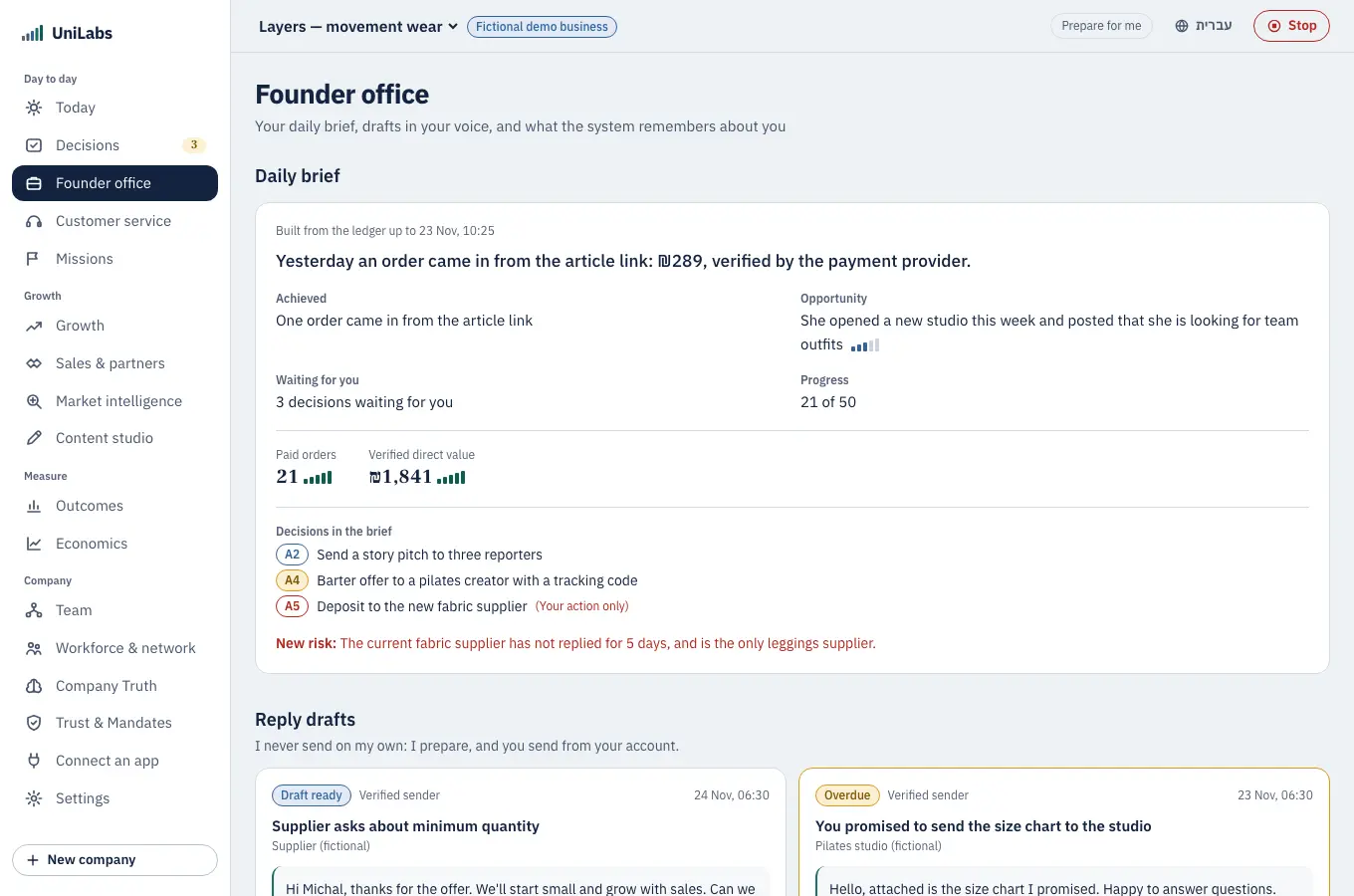
Draft & Open
A message from an unverified sender is stopped and flagged, and gets no draft. The same screen shows what the system remembers about the business, which you can edit, export or delete.
Open the full screen: Drafts in your voice, and you send them Trust is earned per type of action
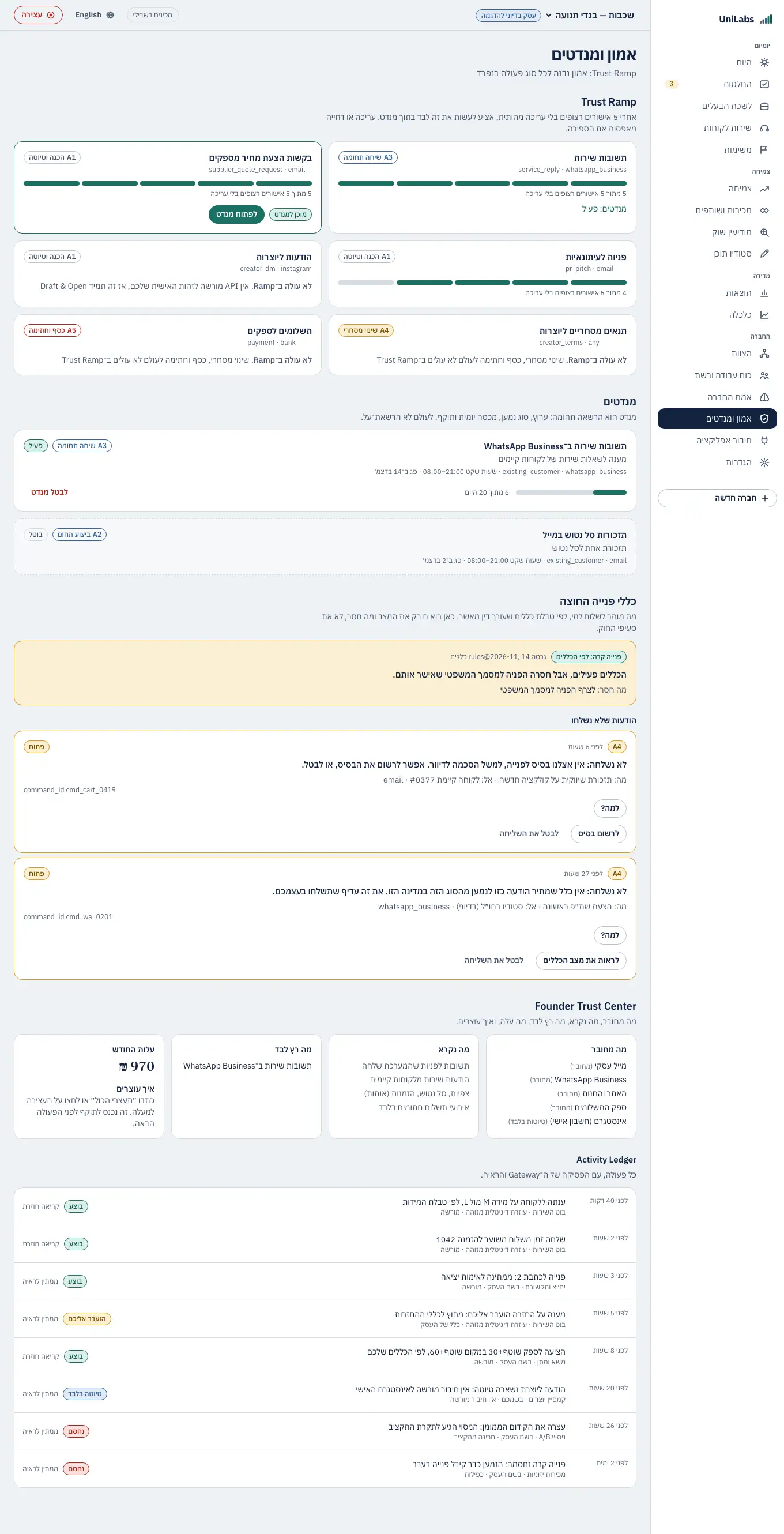
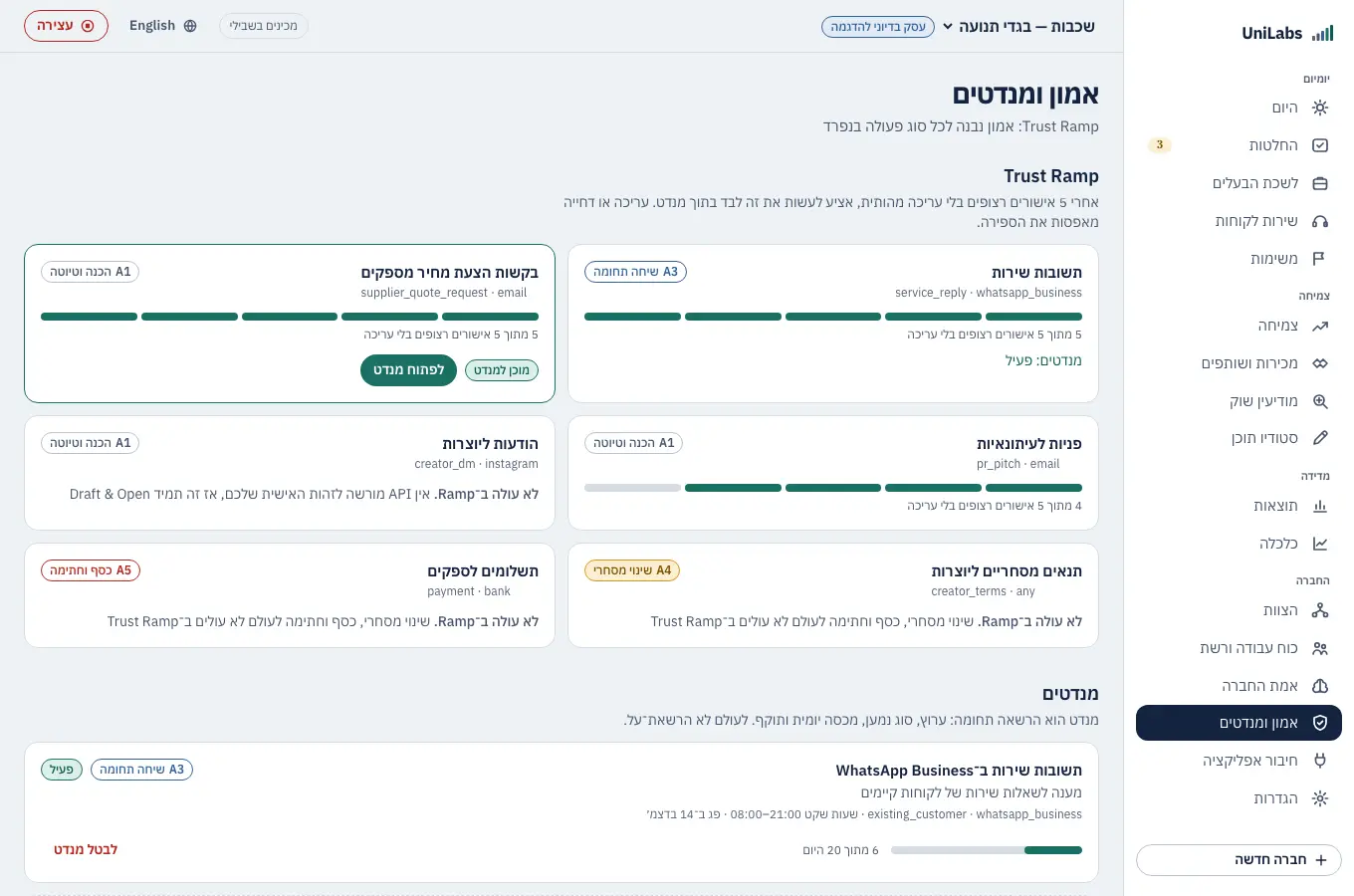
Trust Ramp
After five approvals in a row without an edit, the system offers a mandate for that type of action only. Payments and commercial changes never climb this ladder. At the bottom: a log of every action, with the gate’s verdict.
Screen shown in Hebrew
Open the full screen: Trust is earned per type of action Only what was verified counts
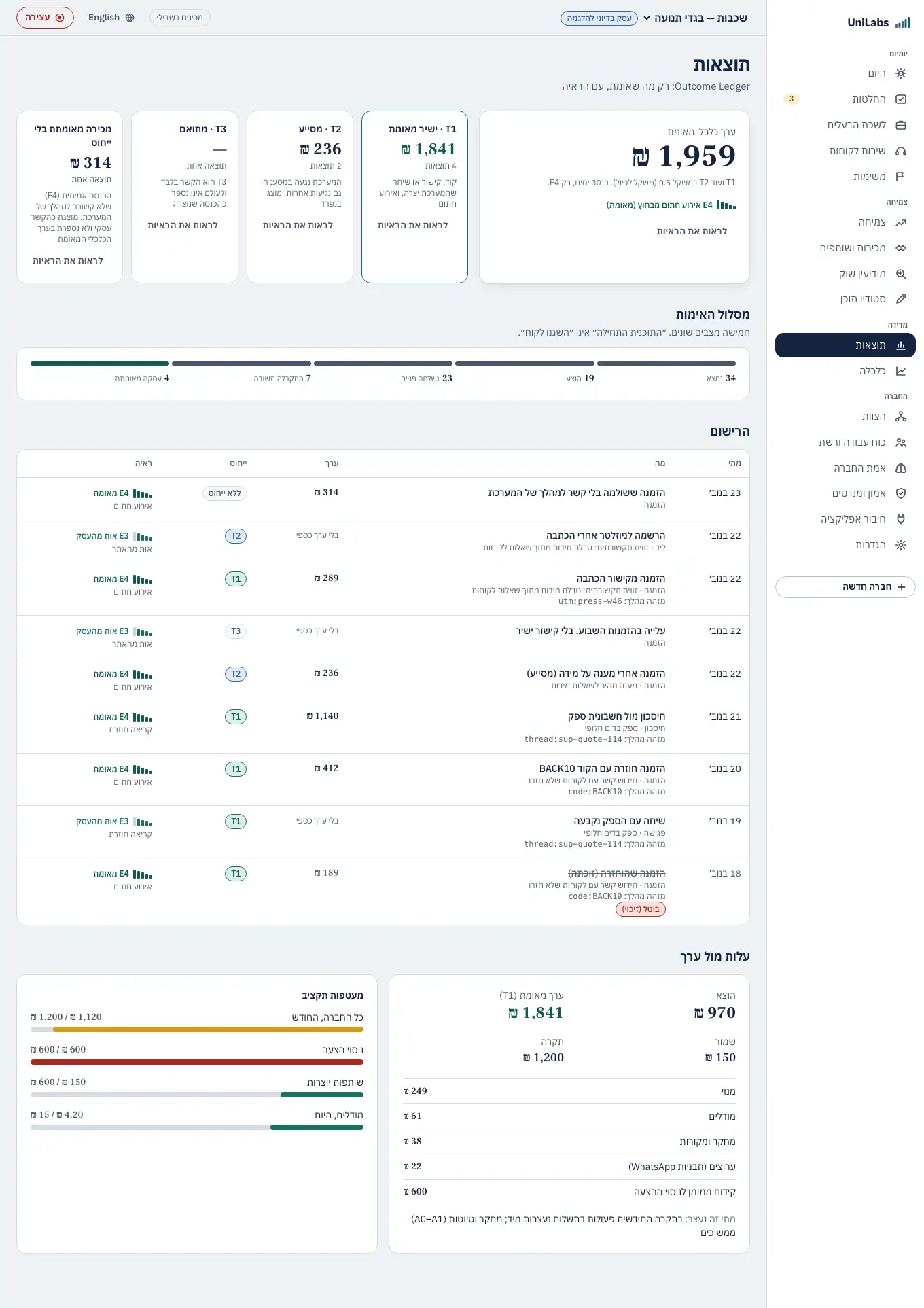
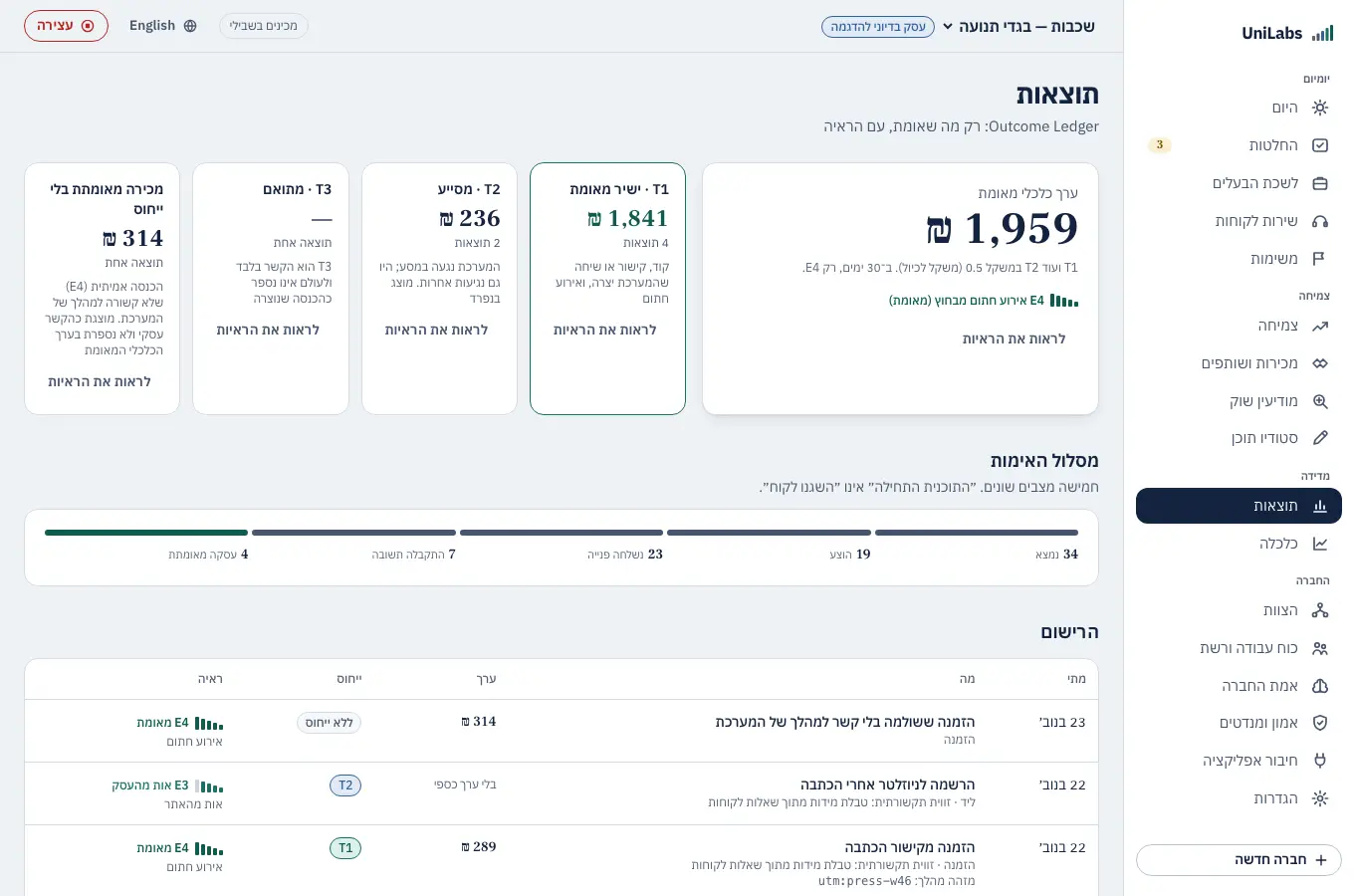
Outcome Ledger
Verified value is computed only from signed events. Every ledger row carries an evidence level and an attribution level, and a refund cancels its row. A verified sale with no link to the system’s work is shown separately and not counted as value.
Screen shown in Hebrew
Open the full screen: Only what was verified counts